
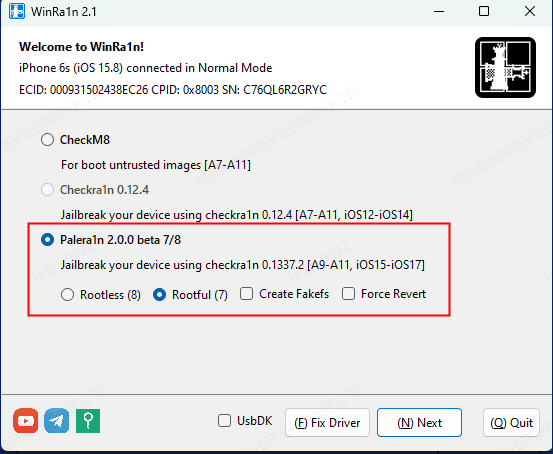
WinRa1n v2.1
What's New
[+] Palera1n rootless mode compatible up to iOS 17
[+] Customizable Ramdisk/Overlay.
[+] AMD CPUs default to using UsbDK as the backend.
[+] Capable of running in offline environments.
[+] Allow devices to start in DFU mode.
[-] Removed support for A6 devices.
Features:
- Supports iOS 12 to the latest iOS 16.4.1
- Compatible with all iPhones, iPads, and iPods with A8 to A11 processors
- Integrated with Checkra1n 0.12.4/0.1337.1 and Palera1n v2.0.0 Beta5 (including Dropbear)
- Runs on Windows 64-bit versions with INTEL/AMD/ARM processors
- Supports USB 2.0 to Type-C (DFU mode)
- Can be run on virtual machines
- Supports Normal/Recovery/DFU modes for exploit booting
How to Use:
- Make sure your device meets the model and device system requirements.
- Download and run the latest version of WinRa1n on Windows.
- Connect your device to your PC.
- You can click on jailbreak directly from Normal/Recovery/DFU modes.
- Wait for your device to restart and complete the jailbreak (around 10 seconds, and the icon should turn blue).
- Click on the blue icon to enable the SSH tunnel.